Hey all,
I’m trying to get the best of both worlds here (Astro image optimisation and CloudCannon asset handling+previews), and am not quite getting there, so hoping if anyone else can provide some tips.
Basically, I want to be able to put a bunch of my site images in the /src/assets/images/ folder, so that I can use the Astro Image component and have them optimised at build time. That part is easy enough - the tricky part is getting that to work cleanly within the CloudCannon UI for uploads and previews.
I’ve based my code below on the astro-starter repo, and that has got me to the point where I can upload to and browse from /src/assets/images, it will build and optimise them, they will show in the built page and Visual Editor.. but it won’t show the preview in the CloudCannon image field or on card previews, because that /src/assets/images/profile-john.jpg path is not a publicly accessible url, like it would be if that path was /assets/images/profile-john.jpg and the file was in the /public/assets/images/ folder.
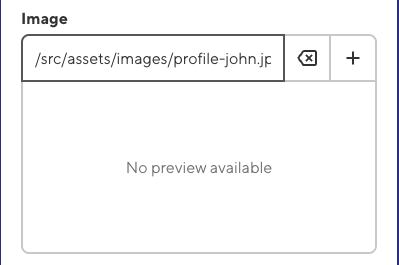
Is there any workaround for this? Any way to store the images in the /public/assets/images/ folder instead, and still have Astro optimise them?
Here is my simplified project structure, config and code.
/public
  /assets
    /images
    /documents
/src
  /assets
    /images
  /components
  /content
    /pages
# /cloudcannon.config.yml
paths:
  uploads: public/assets
  static: 'public'

_inputs:
  image:
    type: image
    options:
      paths:
        uploads: /src/assets/images
        static: ''
# /src/content/pages/team.md
---
title: Team
content_blocks:
  - _bookshop_name: Profiles
    profile:
      - name: John
        image: /src/assets/images/profile-john.jpg
---
# /src/components/Profile.astro
---
import type { ImageMetadata } from 'astro';
import { Image } from 'astro:assets';

const { profile } = Astro.props

const allImages = import.meta.glob<{ default: ImageMetadata }>(
  '/src/assets/**/*.{jpeg,jpg,png,gif,svg,webp,avif}',
  { eager: true }
);

const getImageSrc = (imagePath: string) => {
  const globPath = imagePath.replace(/^\/assets\//, '/src/assets/');
  return allImages[globPath]?.default ?? imagePath;
};
---
<Image
  src={getImageSrc(profile.image)}
  alt={profile.name}
  width={224}
  height={224}
  widths={[160, 224]}
/>