
Heads up! We’re bringing some big upgrades to CloudCannon at the end of October in early November. New CloudCannon users will immediately go to the new version while existing users will have the choice to opt in after release.
We want to ensure you have plenty of time to explore these updates before it becomes the core experience. We’ve scheduled that transition for the end of February 2026, though we’ll be listening to your feedback along the way.
What’s changing?
Let’s start with our big upgrade to the editable regions feature. We’ve added support for linking to front matter, data files, and template files (e.g. .astro, .tsx, etc). Editors will be able to edit text, images, arrays, and source content directly in context. This will make your Visual Editor easier to configure and provide a more interactive editing experience.
For your existing sites, everything will continue to work as normal — no breaking changes to worry about.
We’re also introducing Configuration mode, which lets you update your site configuration live in-app and in context. See an input you want to change? Just click on a button to change it. This feature will be available for sites using Unified Configuration and is designed to get your sites set up faster. Turn Configuration mode on to see your editing options and turn it off to see your editors experience.
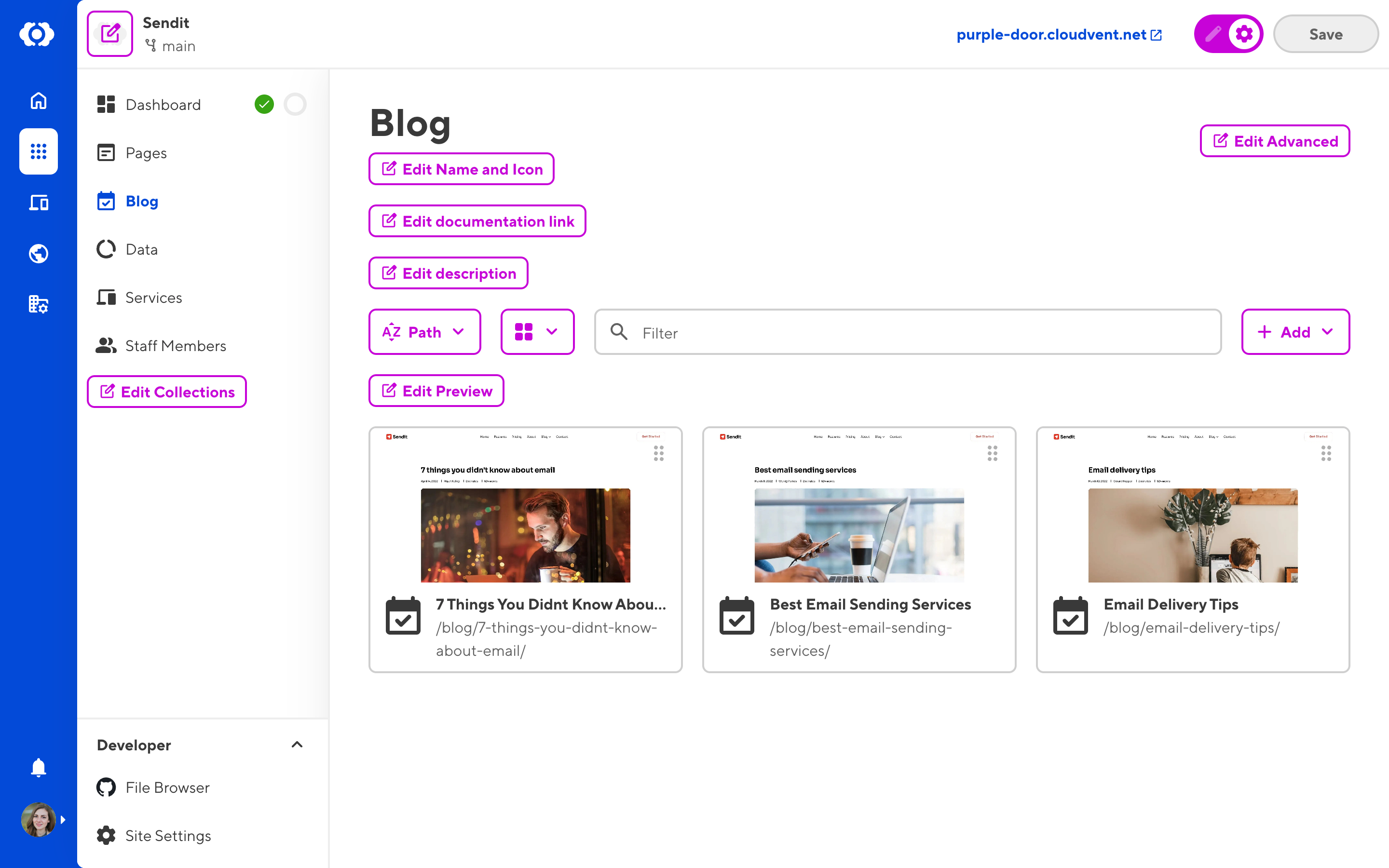
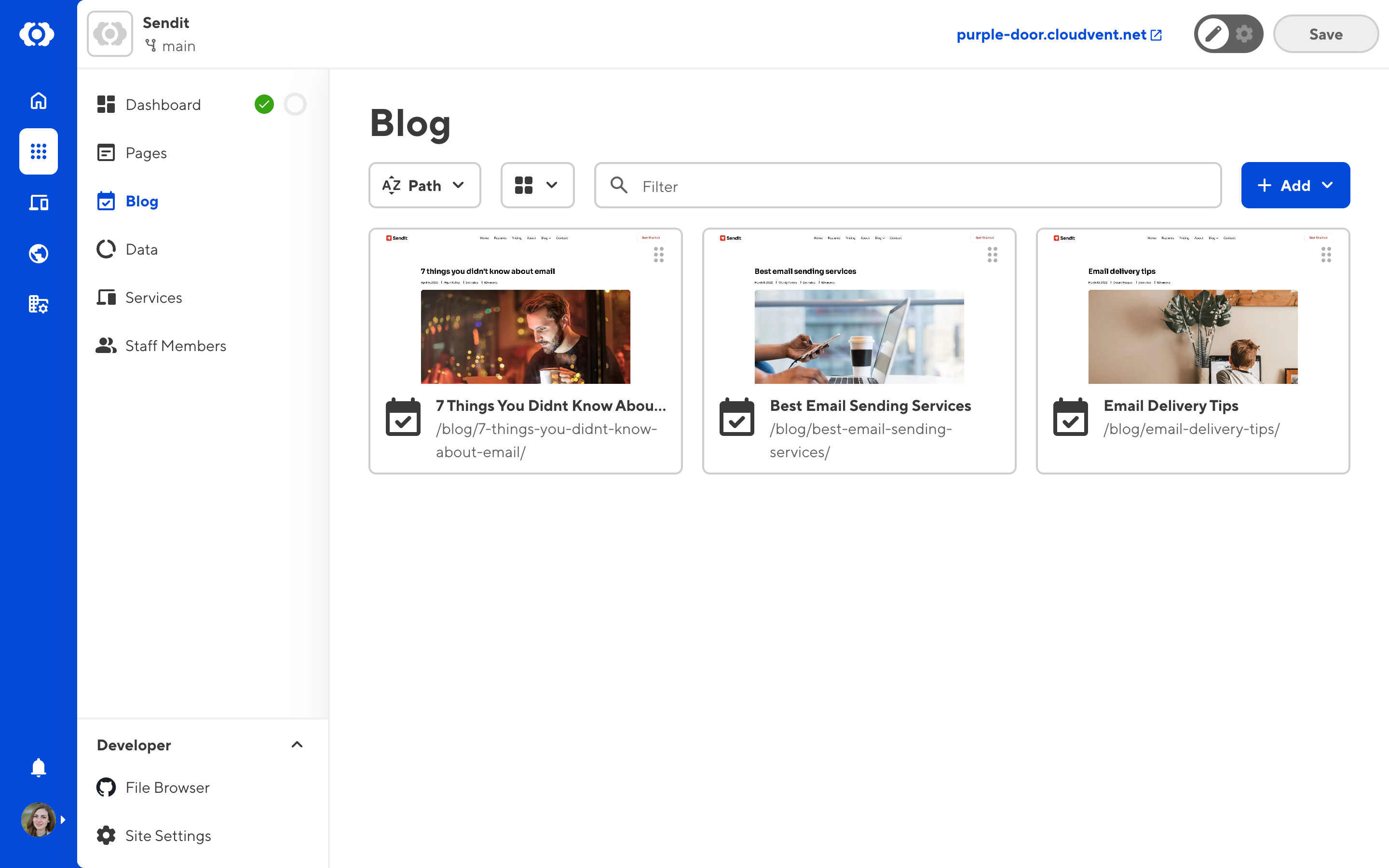
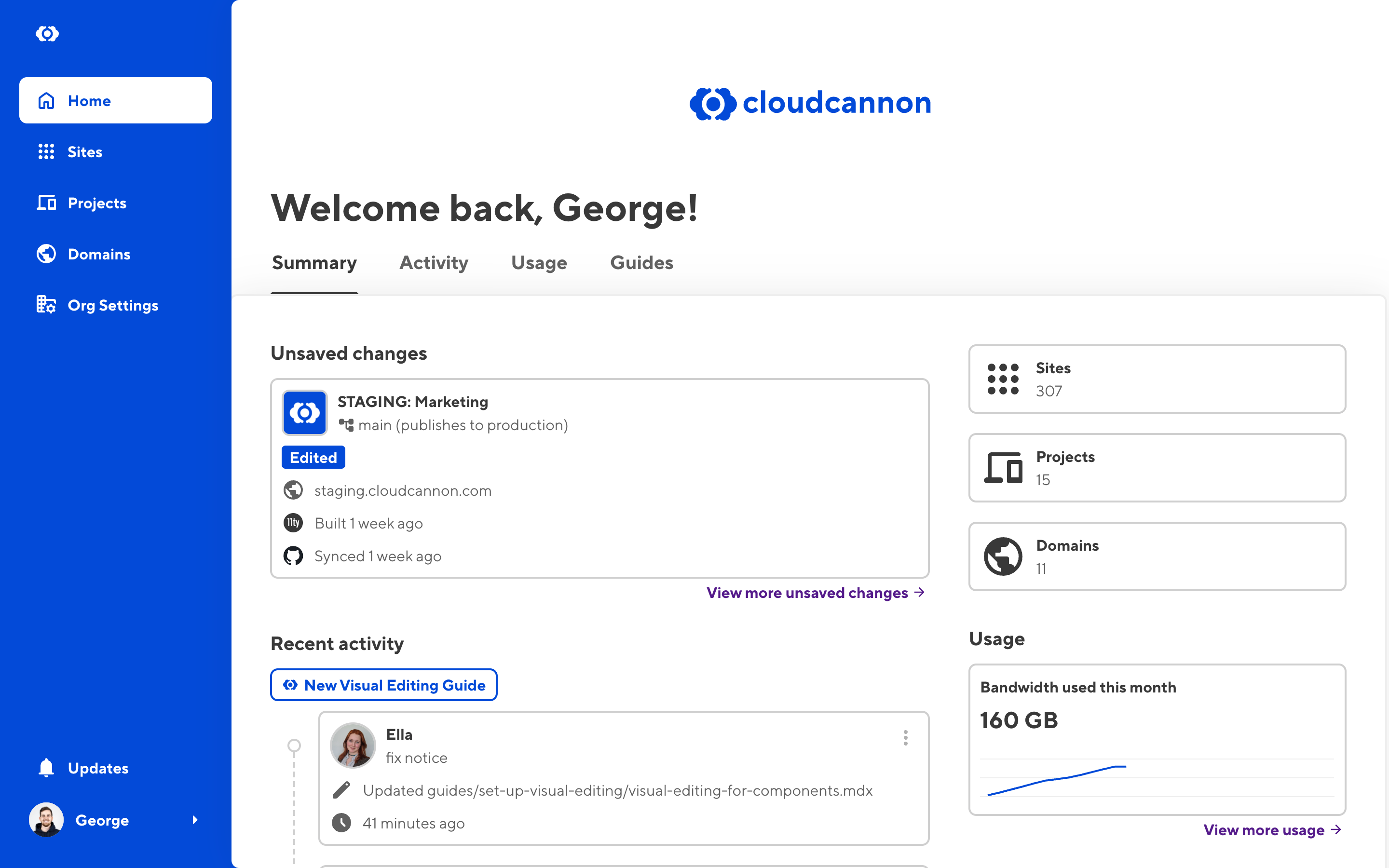
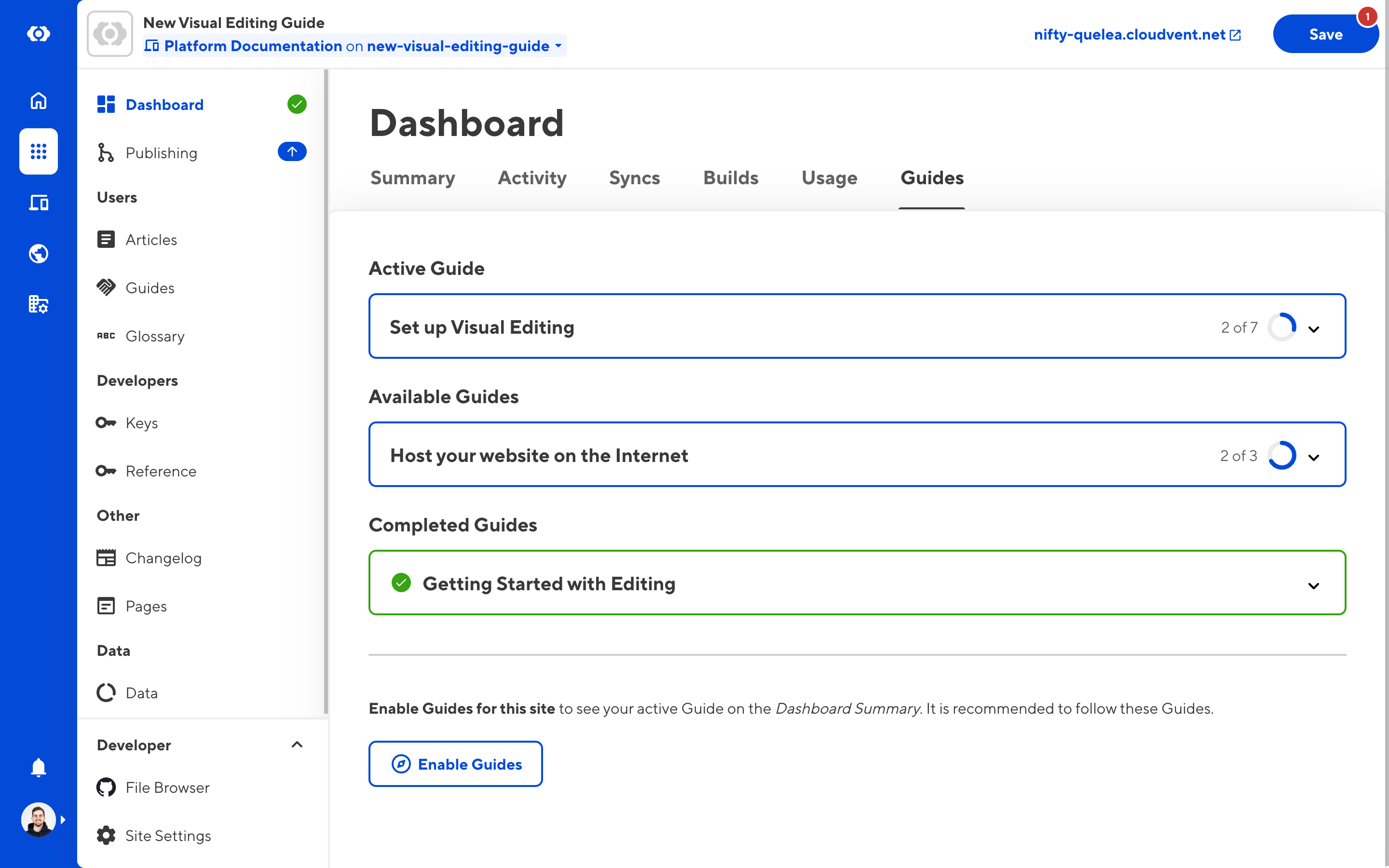
Beyond these core changes, you’ll notice a refreshed UI throughout the platform:
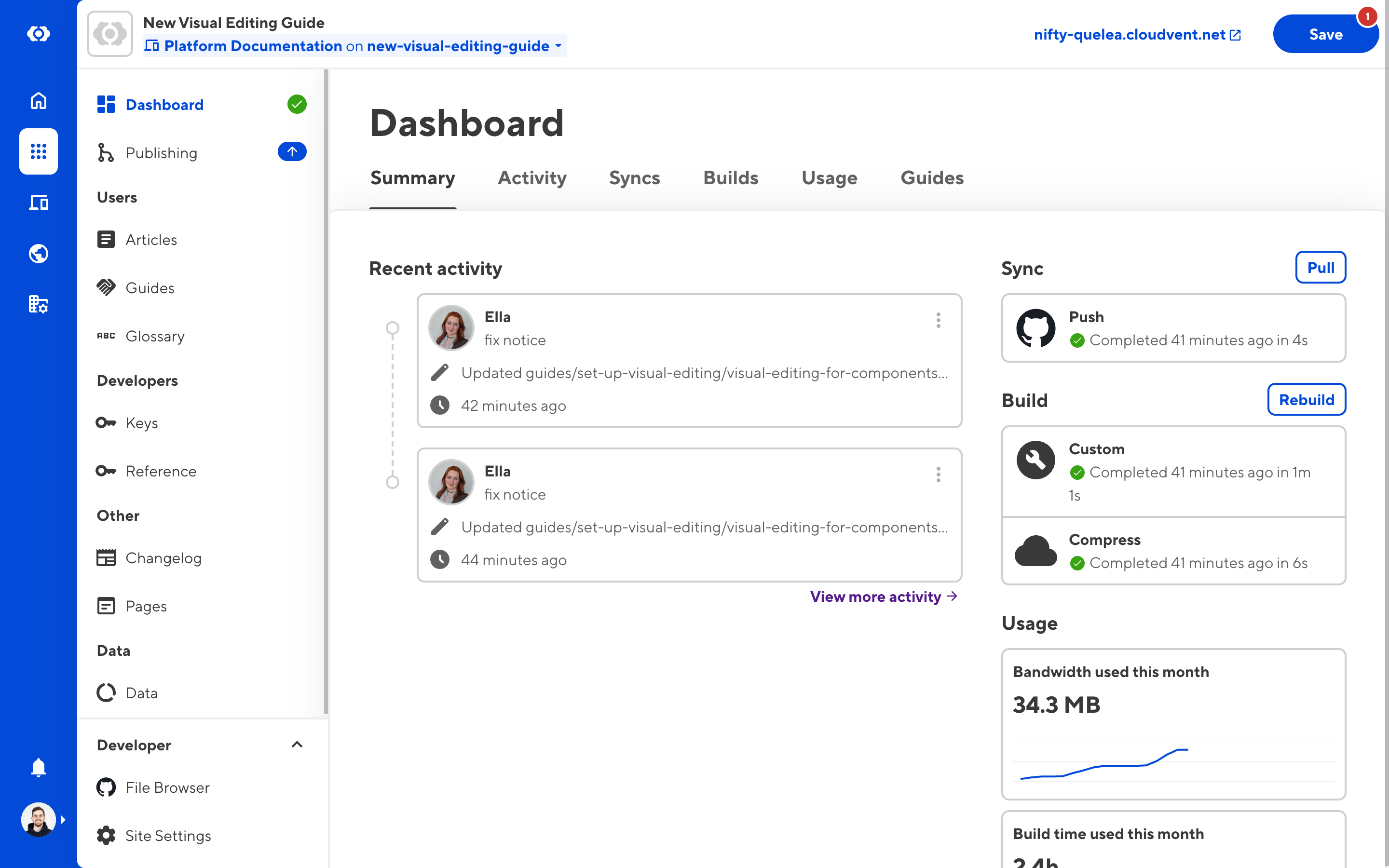
- A reorganized site navigation with a consistent save button position
- A new organization dashboard with recently updated sites, pending saves, bandwidth usage insights, and recent activity timelines
- An improved site dashboard that consolidates status and activity information
- Performance improvements across the board — CloudCannon should feel noticeably snappier

Our release plan
From early November (NZT): Existing CloudCannon users can opt in at their own pace, while new users will see the updated interface by default. You’ll see an upgrade option in the App sidebar which you can click when you’re ready. You can choose to return to the previous interface, if you’d like. If you’re sharing, new team members will get added to the same version that you use. New SSO users will be added to the previous interface. Existing client share will use the previous version and can be toggled on in the client sharing settings.
End of February 2026 (tentative): The option to return to the previous interface will no longer be available, and you’ll automatically be upgraded to the new interface.
This gives you several months to familiarize yourself with the changes, update any internal documentation you may have, and help bring your team or clients up to speed without any pressure.
Resources coming your way
We’re currently preparing comprehensive documentation, in-app guides, and video tutorials demonstrating the new editable regions to help you get the most from these features.
For CloudCannon Partners, you’ll have the chance to learn all about these updates in our very first Partner Sync on November 12th. More details to come on this!
As usual, we’ll share a full changelog and our new documentation as soon as the update goes live. In the meantime, if you have questions or concerns about the transition, please ask here in this thread or directly in support.
We’re excited about these improvements and hope you will be too: new features, better performance, and increased reliability — all in one release!
