Configuration cascade / input config

Hello Community

I’m trying to make unify how images are uploaded and handled in our components. For that reason I’ve created a simple global structure:

"image": {
  "values": [
    {
      "icon": "image",
      "value": {
        "imagePath": null,
        "altText": null
      }
    }
  ]
}

I’m referencing it globally using:

"image": {
  "label": "Hero Image",
  "type": "object",
  "options": {
    "structures": "_structures.image"
  }
}

with a base configuration for the imagePath:

"imagePath": {
  "type": "image",
  "options": {
    "paths": {
      "static": "",
      "uploads": "src/prospect/assets/images"
    }
  }
},

Now in my bookshop components, I’d like to use the configuration cascade to have more specific configuration for the imagePath.

e.g. hero.bookshop.json:

{
  "spec": {
    "structures": [
      "content_blocks"
    ],
    "label": "Hero Header",
    "description": "A component that renders a hero header",
    "icon": "nature_people"
  },
  [...]
  "preview": null,
  "_inputs": {
    "imagePath": {
      "type": "image",
      "options": {
        "accepts_mime_type": [
          "image/png",
          "image/jpeg",
          "image/svg"
        ],
        "allowed_sources": [
          "site-files"
        ],
        "empty_type": null,
        "resize_style": "crop",
        "width": 580,
        "height": 720,
        "expandable": true,
        "prevent_resize_existing_files": true,
        "mime_type": "image/png"
      }
    }
  }
}

and static-card-section.bookshop.json:

{
  "spec": {
    "structures": [
      "content_blocks"
    ],
    "label": "Static Card Section",
    "description": "A section for static cards ",
    "icon": "cards"
  },
  "blueprint": {
    [...]
  },
  "preview": null,
  "_inputs": {
    "cards": {
      "type": "array",
      "icon": "cards",
      "options": {
        "structures": {
          "style": "select",
          "values": [
            {
              "label": "Card",
              "icon": "cards",
              "value": {
                "title": null,
                "description": null,
                "image": null
              }
            }
          ]
        }
      }
    },
    "imagePath": {
      "type": "image",
      "options": {
        "resize_style": "crop",
        "width": 400,
        "height": 300
      }
    }
  }
}

Afaik the configuration cascade should merge these definitions, but it doesn’t look like. Only the globally configured settings are taking place here.

As I workaround I tried to duplicate the code and specify the _inputs and _structures only in the <component>.bookshop.json files, but I wasn’t successful with that either. Then the options for resize and the upload paths had no effect at all.

What am I missing here?

Best

1 Like

Hi @getAbstract_Develope, welcome to the community!

There’s a bit of nuance about what will be merged together in the configuration cascade. CloudCannon will merge the top-level keys of _inputs keys from different scopes, but will not merge the options objects together. For example, if you added _inputs.imagePath.comment to your global scope, that would be applied to all the imagePath inputs within your structures. On the other hand, enabling _inputs.imagePath.options.required will not apply to those inputs.

Another thing to be aware of is that the cascade doesn’t merge together configuration from parent structures. In this doc about the configuration cascade, “Containing structure” is listed as the most specific part of the configuration cascade. This actually refers only to the immediate containing structure, and not any parent structures.

Here’s a code example of what one of your pages might look like with your current config, annotated with the _structure scope available for each key:

---
title: Home
content_blocks:
  - # the structure scope here is now `_structures.content_blocks.values[0]`
    _bookshop_name: hero
    image: # Matches `_inputs.image` since `_structures.content_blocks.values[0]._inputs.image` does not exist
      # the structure scope here is now `_structures.image.values[0]`
      imagePath: # Matches `_inputs.imagePath` since `_structures.image.values[0]._inputs.imagePath` does not exist
      altText:
  - # the structure scope here is now `_structures.content_blocks.values[1]`
    _bookshop_name: cards
    cards: # Matches `_structures.content_blocks.values[1]._inputs.cards`
      - # the structure scope here is now `_structures.content_blocks.values[1]._inputs.cards.options.structures.values[0]`
        title:
        description:
        image: # Matches `_inputs.image` since `_structures.content_blocks.values[1]._inputs.cards.options.structures.values[0]._inputs.image` does not exist
          # the structure scope here is now `_structures.image.values[0]`
          imagePath: # Matches `_inputs.imagePath` since `_structures.image.values[0]._inputs.imagePath` does not exist
          altText:
---

Part of the reasoning behind this cascade behavior was to help with the portability of Bookshop components. Bookshop components can more reliably be shared between sites if _structures are merged with the rest of your site configuration in a more limited way. It can also make debugging a bit easier, since the possibility space is reduced for what code on the site might be applied to a given input.

Having said that, I think we’ll keep this in mind and maybe open up the possibility of greater inheritance through the cascade in the future.

For now, I don’t think there’s a perfect way to completely reduce this duplication. My suggestion would be to copy the relevant _inputs from your global config into the Bookshop files themselves. Alternatively, you could move your _structures definitions into the CloudCannon configuration file to be defined explicitly instead of via Bookshop.

Let me know if you have any thoughts or questions about this @getAbstract_Develope! I’d be interested to hear if anyone else has tackled this on their own sites and come up a good solution :eyes:

Thank you for the clarification, Ryan.

I’ve tried now what you suggested and moved the whole config to the hero.bookshop.json file. Worked like charm an now looks like this (sharing for other that maybe face the same):

{
  "spec": {
    "structures": [
      "content_blocks"
    ],
    "label": "Hero Header",
    "description": "A component that renders a hero header",
    "icon": "nature_people"
  },
  "blueprint": {
    "sectionVariant": "LIGHT",
    "title": "Placeholder Title",
    "subtitle": "I'm the subtitle",
    "description": null,
    "image": null,
    "chips": [
      "Chip1",
      "Chip2"
    ],
    "button": {
      "label": "CTA",
      "link": "#"
    }
  },
  "preview": null,
  "_inputs": {
    "image": {
      "label": "Hero Image",
      "type": "object",
      "options": {
        "structures": "_structures.image"
      }
    }
  },
  "_structures": {
    "image": {
      "values": [
        {
          "icon": "image",
          "value": {
            "imagePath": null,
            "altText": null
          },
          "_inputs": {
            "imagePath": {
              "type": "image",
              "options": {
                "paths": {
                  "uploads": "/[base_path]",
                  "uploads_filename": "hero.[asset_ext]"
                },
                "accepts_mime_type": [
                  "image/png",
                  "image/jpeg",
                  "image/svg"
                ],
                "empty_type": null,
                "resize_style": "crop",
                "width": 580,
                "height": 870,
                "expandable": true,
                "mime_type": "image/png"
              }
            },
            "altText": {
              "label": "Image Alt Text",
              "hidden": "!imagePath"
            }
          }
        }
      ]
    }
  }
}

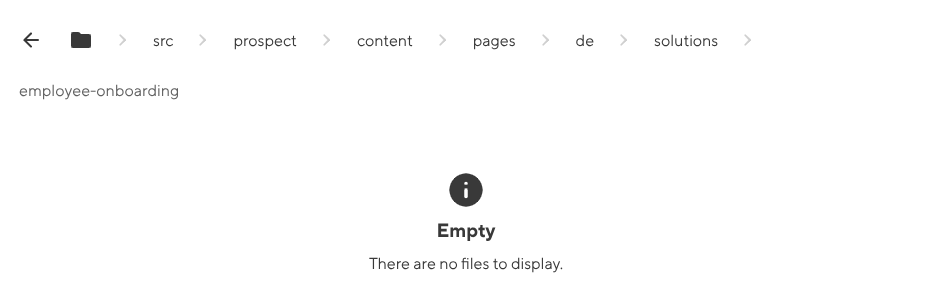
One thing that somehow not works is selecting an existing image. I made sure that there is an image in that folder, but I’m unable to select it.

What could be the issue?

1 Like

One thing that somehow not works is selecting an existing image. I made sure that there is an image in that folder, but I’m unable to select it.

@getAbstract_Develope I wonder if you have a globally configured paths.static that needs to be overridden in your component? I’ll message you directly and take a closer look with you :eyes:

1 Like