Hey @Joachim It is not possible to delete or rename files in a DAM from CloudCannon.
We get questions about this every so often, so I think it’s something we would like to provide some options around in the future… but it’s too dangerous for us to add without some very careful scoping. When you delete a file from a DAM, you have no visibility over all the places that file might be used, and there’s no version control like there is with your Git-stored files. Renaming the file has the same problem, since (typically) you are altering the URL where the file is served.
It would be interesting to hear how people would like this to work, in a world where we did provide some options around it What kind of interfaces or options could we provide to you, and your clients, to make this useful and safe? (just a general question to the community in case people have thoughts!)
The safety concern makes sense, especially the point about having no visibility into where a file is used once it’s in a DAM. One option worth considering would be a soft-delete or archive step rather than immediate removal, combined with a usage report that surfaces references to the file before anyone confirms. For renaming, maybe show the old and new URL side by side so the client understands the impact before committing. Even a read-only audit view of assets with no detected references could help people clean up confidently without risking broken links.
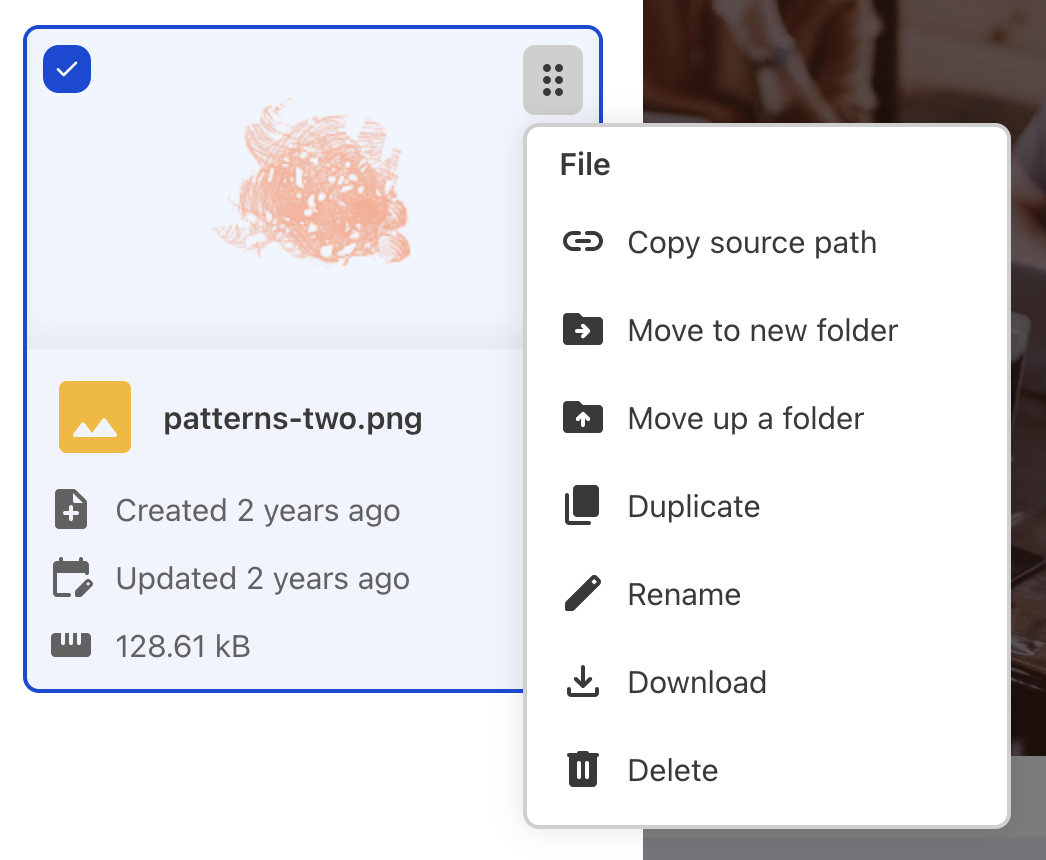
 It is not possible to delete or rename files in a DAM from CloudCannon.

 What kind of interfaces or options could we provide to you, and your clients, to make this useful and safe? (just a general question to the community in case people have thoughts!)