Hi there,
I just had a 2 days workshop with a client and we talked about how their editors work with Cloudcannon. They handle a lot of pages / collections and languages. They also require a content review process of content that has been pushed to a new branch.
Is it somehow possible to show only pages and collections that contain changes compared with the target branch? So their proofreaders can easily (and only) access changed pages.
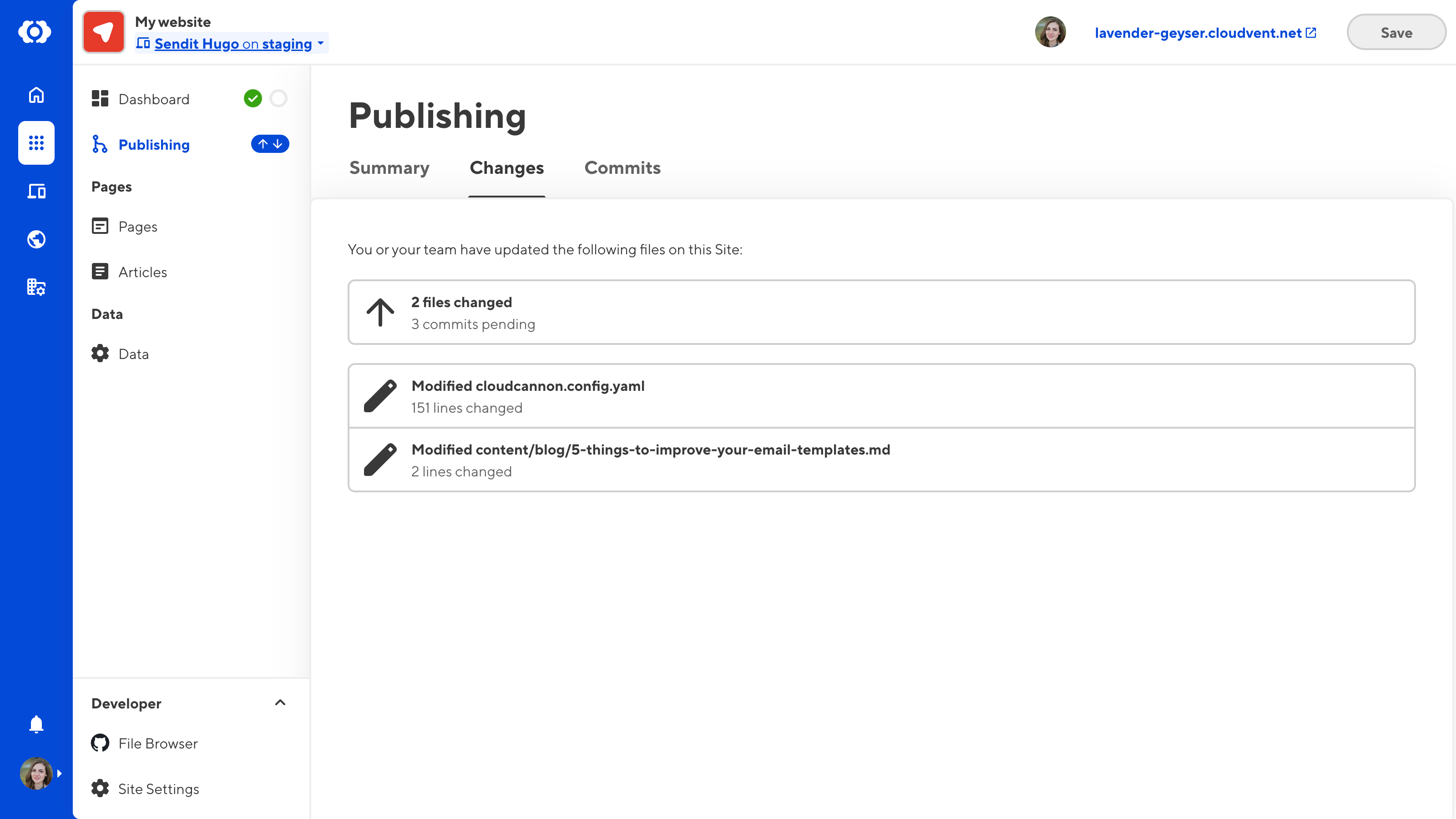
Under the Changes tab on the Publishing page, we list all files with saved changes. It doesn’t actively compare the changes to the files on your Publish Branch, but seeing as you initially branched from your Publish Branch it would still be accurate as long as you didn’t change the Publish Branch after you created the Site.
Hi Ella,
I know there is the Changes tab and also the Commits tab. Both are too technical and the editor experience could be better.
Changes tab: No link to the actual page to start proofreading and make edits
Commits tab: Very technical, link to the Git diff exists, but off-site
So right now a reviewer need to do:
1. Login > Clicks Publishing > Clicks Changes
2. Tries to guess the correct page by filename
3. Spends minutes searching for the correct page in 25+ collections with 1500+ pages
4. Page found > no diff view
5. Clicks Publishing > Clicks Commits > (might search for the correct commit) > Clicks View to open the Git Diff in a separate tab
6. Searches the correct file (if the commit contains more than one)
7. Finally has the page and the related Git diff open and starts reviewing
It would be a huge time saving if:
List items in Publishing > Changes display the Title + URL path and link to the page editor
Toggle a side-by-side Git diff in the page editor (like you’ve introduced it for unsaved edits)