Hi everyone!
Here’s what landed in CloudCannon over the last month, headlined by a new home for Partner Organizations.
Partner Organizations get a new home page
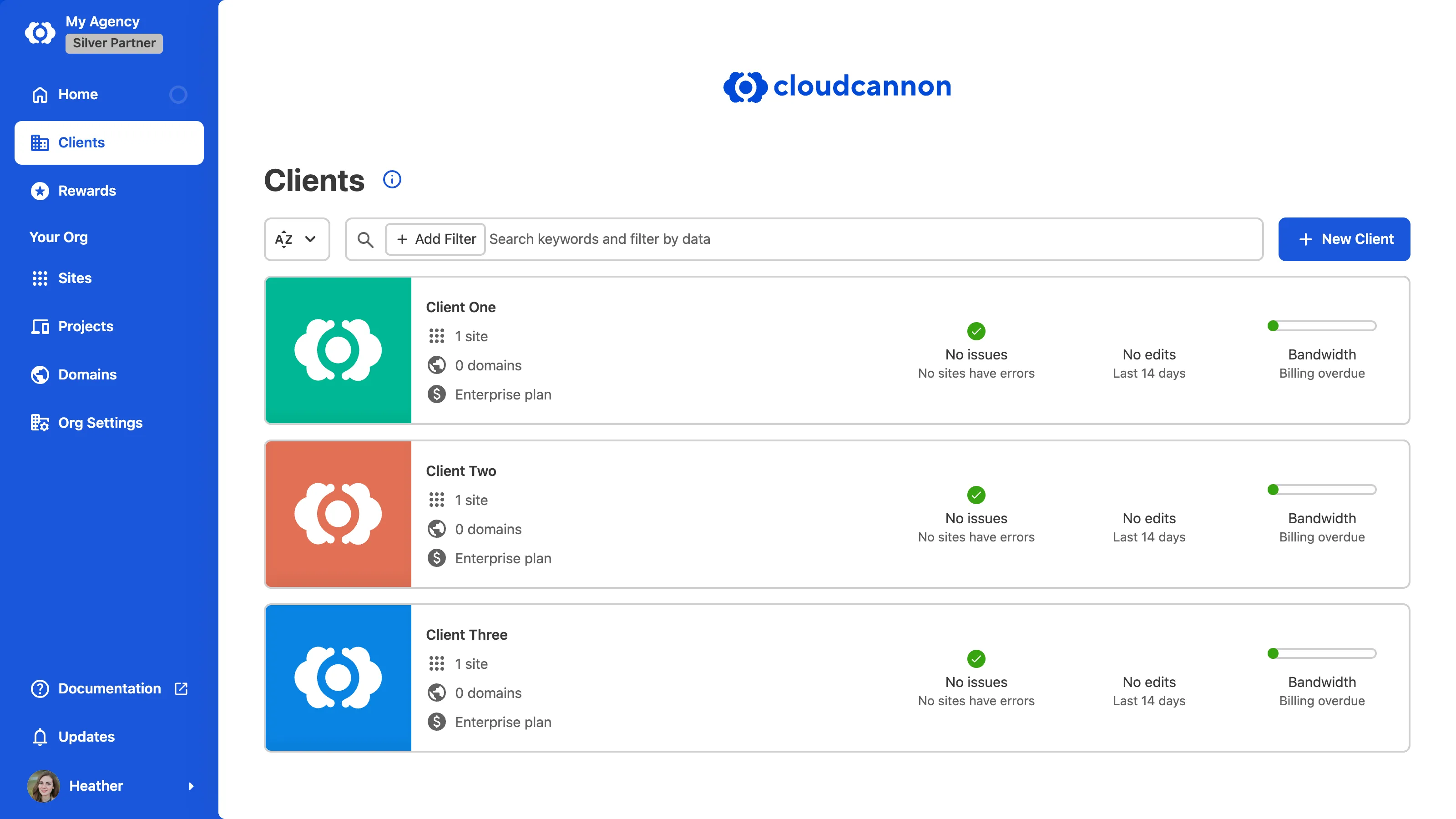
We reworked the Organization Home page for Partner Organizations and gave it two new pages in the App Sidebar. The Sidebar now shows Home, Clients, and Rewards, followed by a Your Org section with your Sites, Projects, Domains, and Org Settings.
- Clients opens the new Client Organizations Browser, which lists every Client Organization linked to your Partner Organization with search and filters. If you’re in the Owners Permission Group, you can create a new client right there with the New Client button. No more digging through the Organizations Browser to find them.
- Rewards opens the Partner Rewards page, now living inside the Partner Organization the points belong to. It shows your Partner Points with a breakdown of where they come from, Partner Badge downloads, your tier, and your benefits.
- First-visit education modals introduce each new area, and you can reopen them anytime from the information button.
Switch Organizations from the App Sidebar
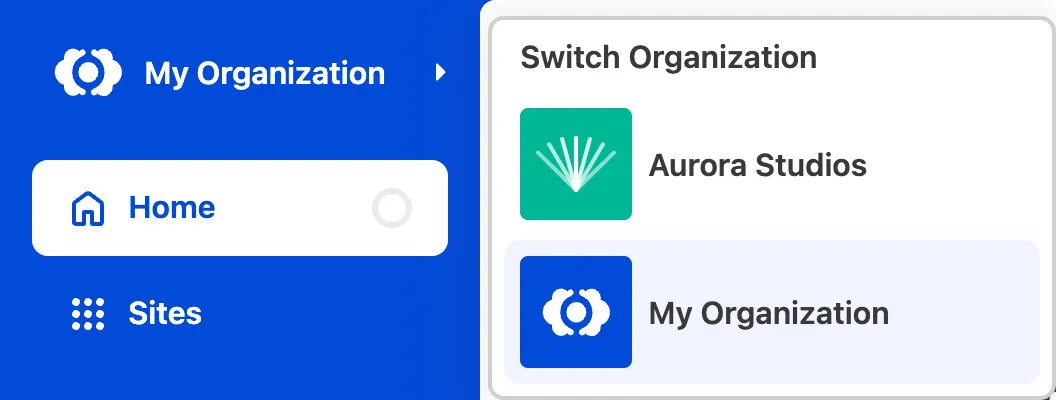
If you belong to more than one Organization, an arrow now appears next to your Organization name at the top of the App Sidebar. Click your Organization name to open the new Switch Organization Menu and jump straight to another Organization — including your Client Organizations — without going through the Organizations Browser. If you’re in a lot of Organizations, a View more button opens the full list.
You can also now create an Organization straight from the Account Menu with the new Create new Organization option.
Digital Asset Manager improvements
We gave the Digital Asset Manager (DAM) some love this month:
- You can now upload assets directly from the Browse tab of your DAM page under Org Settings.
- Clicking an asset in the Browse tab opens a preview modal.
- Browsing your DAM is faster and easier to navigate.
- When you’re picking an asset for a File Input, assets now show a radio button to make it clear you can only select one.
Decline and confirm Site Transfers
Incoming Site Transfer requests now have a Decline button, so you can reject a request you don’t want. Declining removes the Site from the Transfer Requests page under Org Settings, and the sender has to start a new transfer to try again. We also added Confirmation Modals before you cancel an outgoing transfer or decline an incoming one, so it’s harder to do either by accident.
Smoother modals across the app
Modals throughout CloudCannon now use your browser’s native dialog element. That means better keyboard and focus handling, and modals reliably appear above other content.
A few other things worth mentioning
- To cancel your subscription, you no longer have to downgrade your plan first. Canceling now ends billing immediately and removes the credit cards attached to the Organization.
- You can now choose which email to use when signing up with GitLab or Bitbucket, which was previously only available for GitHub.
- We redesigned the create pages for making a Site, Project, or Domain.
- Renamed a couple of settings for clarity: the Sites List Logo under Organization branding is now the Sites Browser Logo, and the Transfer page under Site Settings is now Transfer Site.
- Your Org Settings now show distinct messaging for when an Organization has no credit cards versus when it has cards but no default set.
- Fixed Partner Rewards points showing to everyone in a Partner Organization instead of just the Owners group.
- Fixed the Organization Home greeting saying “Welcome back” to first-time visitors.
- Fixed an incorrect warning that accepting a Site Transfer would end your Free Trial or increase your bill.
- Fixed the Switch Organization Menu tooltip and arrow not displaying correctly when the App Sidebar was collapsed.
- Fixed nested panels in the Data Editor being misaligned and not scrolling correctly at some widths.
- Fixed Snippet panels inside the Visual Editor closing after any edit.
- Fixed some file actions being usable from inside the editor even with
disable_file_actionsturned on. - Fixed the drag handler on Array Inputs making it hard to select text inside them.
- Fixed structured Object Inputs that couldn’t be deleted.
- Fixed invalid DAM configuration that could stop Sites and DAMs from loading.
- Fixed a few Select Input preview spots (Array Objects, Object Inputs, and metadata) showing the raw value instead of the preview text.
- Improved file metadata loading in the Visual Editor and Data Editor by retrying interrupted downloads.
- A handful of billing and checkout fixes: the Subscription page now reflects the latest state after a plan change, adding a payment method now correctly sets it as your default, and a confirmation message no longer covers the Submit button at checkout.
- Dependencies were updated several times to patch security vulnerabilities.
That’s July! As always, let us know what you think or if you have any questions, and reach out to our support team if you need a hand. 
